¶ Qbus Control
On this page we introduce you to the user environment of Qbus Control.
The user environment is for you as an end user 'the place to be' to control all your devices.
You can control your home via a the Qbus Control App and any web browser. The 'look and feel' of both platforms are similarly laid out so you get the same experience anywhere.
Through a web browser, Qbus Control looks like this:

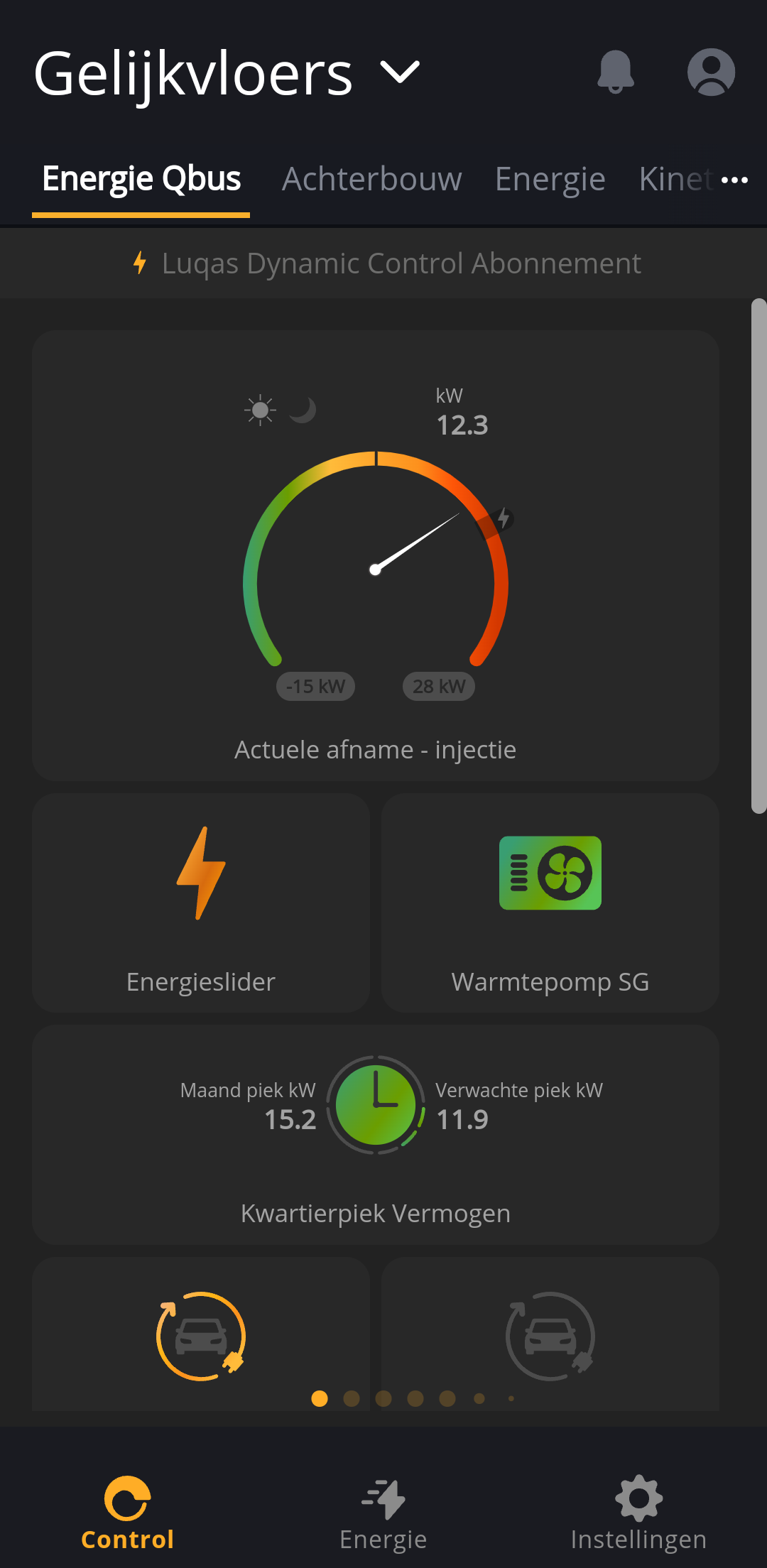
And here you can see the app in action:
¶ Overview
To guide you through the structure of Qbus Control, we divide the interface into 8 parts:
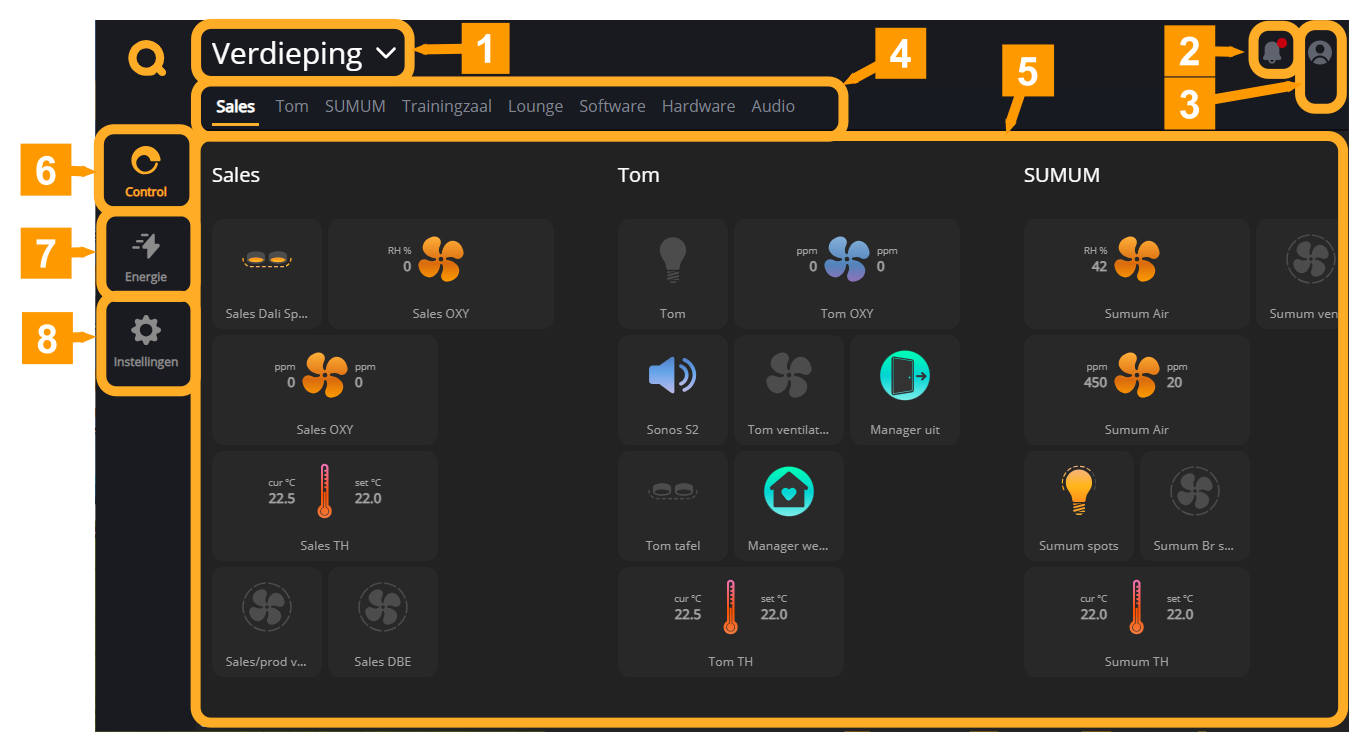
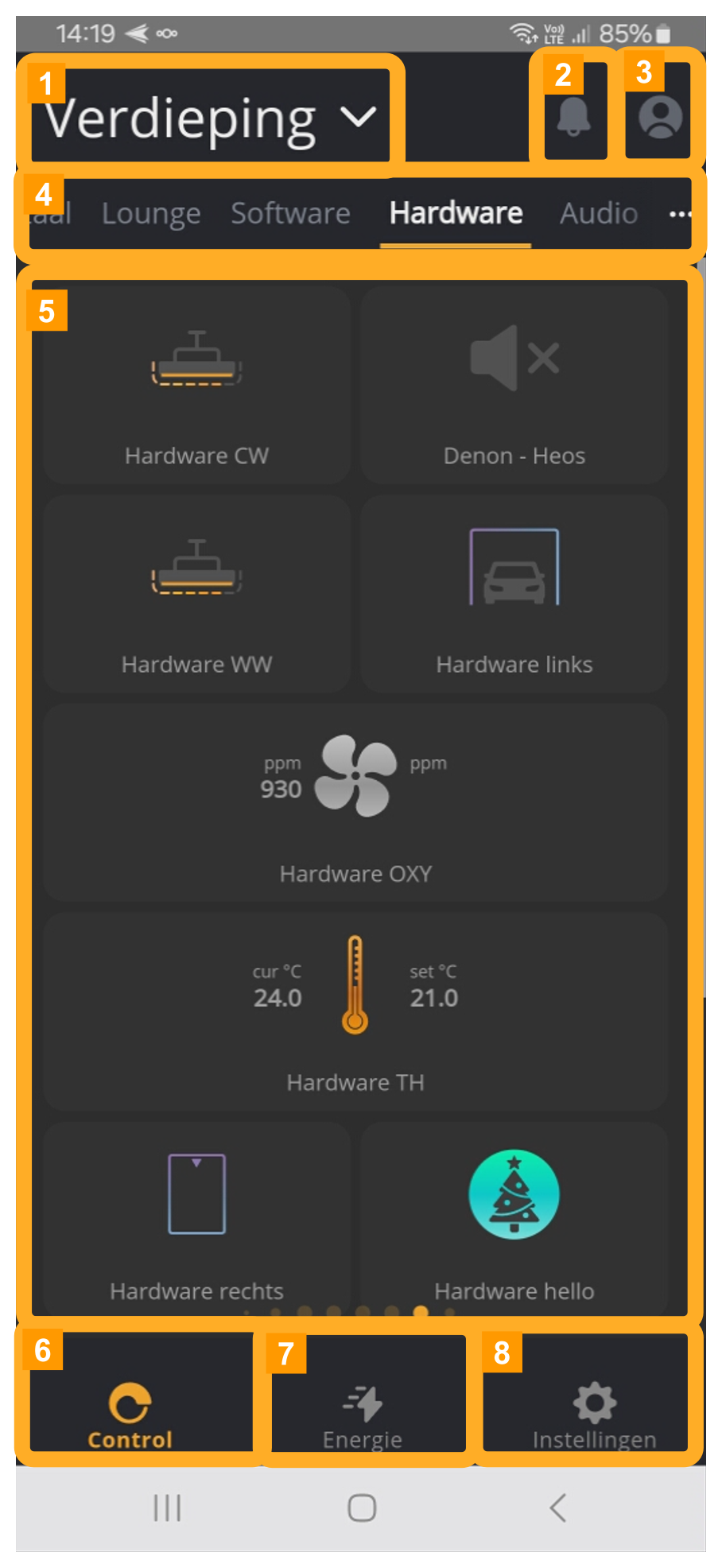
- Main groups: The Qbus Control main groups can be composed in 2 ways.
- If you are using Qbus Control for 1 house, you will find here the floors of your house.
- If you use Qbus Control for several houses then you will find your houses here.
- Notifications: Under notifications all messages will appear, these messages may include:
- Information about updates to Qbus Control.
- Notifications about the status of a control.
- Account: This button takes you to the Profile page.
- Groups: Groups are collections of control points. They can be grouped by room or by type of operation. You can tap a group here or swipe left or right in the app to change groups.
- Controls: Here you can find all the controls that belong to the selected group.
- Control: This icon takes you to the control page.
- Energy: This icon takes you to the energy page where you can find all information related to energy management.
- Settings: Through Settings you can customize the groups and controls, create Clock times, manage Actions and notifications, ...
The Energy page tells you everything you need to know about energy management for your home.
On the Outputs page, you will learn all about the operation of the various outputs.